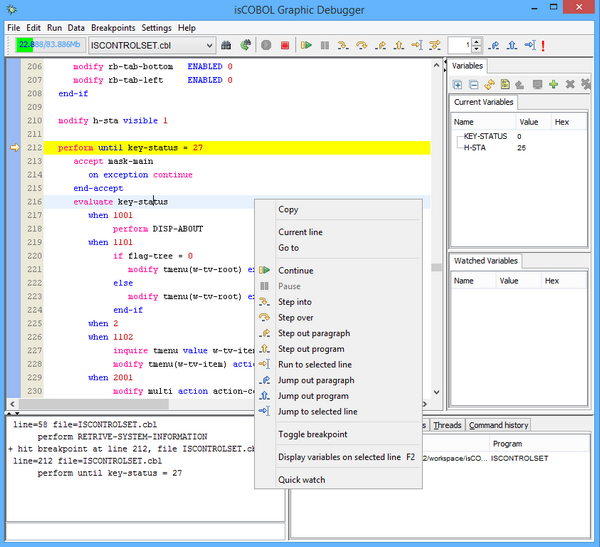
By default the source code is shown on a white background while copybooks and nested copybooks are shown on different shades of gray. Color can be configured in Settings / Customize / Fonts And Colors.Debugger commands aliases and shortcuts can be configured in Settings / Customize / Commands and Settings / Customize / Shortcuts.Settings are saved in a file named isdebugger.properties under the user home directory. This file is read every time the Debugger starts.
| Copyright (c) 2017 Veryant |
| Contact us |
|
Please share your comments on this manual or on any Veryant product documentation with the email button at the top left |