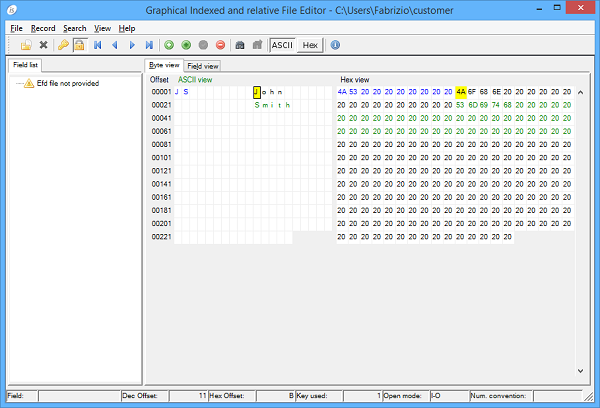
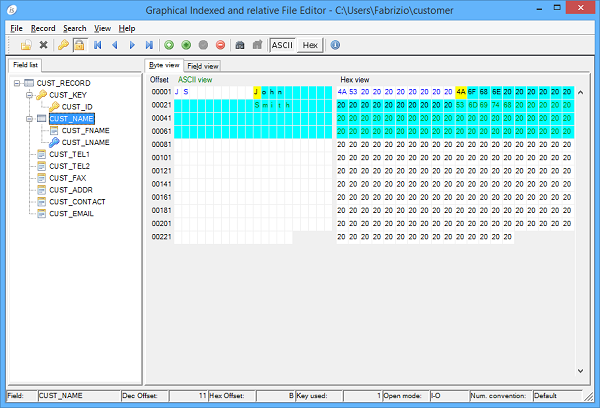
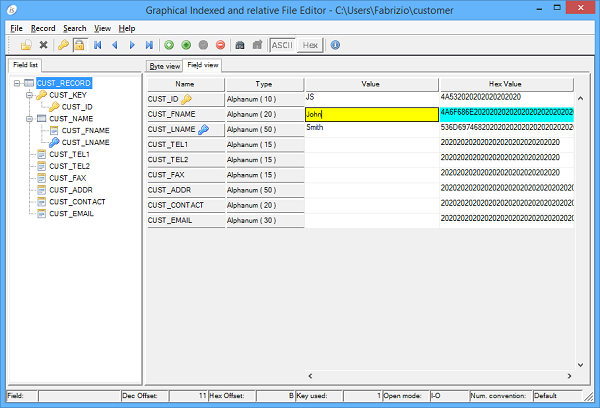
To open a file click on the File menu and select Open. You will be prompted for the file name, file type and open mode (read only / read-write). If iscobol.file.prefix is set in the configuration, the first path of the file prefix is proposed. If iscobol.file.index is set in the configuration, its value is proposed as file type. If you plan to open a relative file rather than an indexed file, set the file type field to "relative". You can optionally specify an EFD dictionary, in this case GIFE shows the list of fields and allows to work on each single field through two different views.The Record menu contains features that allow you to navigate through records and update the record content.From the Search menu you can perform a search for a specific word in the current record.The View menu allows you to switch between ASCII view and HEX view.The Lock button on the toolbar allows to lock and unlock the current record.
gife -J-Dproperty=value filename [ EFDfile ]It’s possible to pass a configuration file to GIFE as well as setting single properties on the command-line by following the rules described in the Library Routines and Utilities Configuration chapter.If you pass the name of a file as parameter on the command-line, GIFE opens the file automatically by using the handler set by the iscobol.file.index configuration property.
| Copyright (c) 2017 Veryant |
| Contact us |
|
Please share your comments on this manual or on any Veryant product documentation with the email button at the top left |