skip to main content

Utilities : ISMIGRATE (Index File Migration)

ISMIGRATE (Index File Migration)
The ISMIGRATE utility converts ISAM files from one format to another.
In order to perform the conversion, ISMIGRATE calls low level file handler functions. The isCOBOL Framework must be able to interact with the involved file handlers, so native libraries, licenses and specific configuration of the file handler must be available to run ISMIGRATE.
Indexed files whose record is larger than 64KB are not supported by ISMIGRATE.
Usage 1:
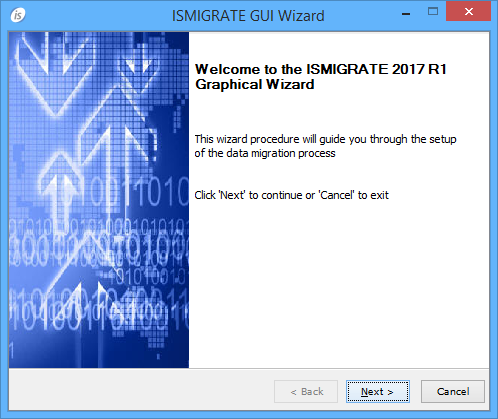
If the utility is launched without parameters, a graphical wizard procedure will start.
The wizard procedure allows you to set up the migration process through the following steps:
1.
Note: ACUCOBOL-GT Vision (com.iscobol.io.ScanVision) allows to read Vision files without the need of external libraries. However users must be aware that using this file handler is not possible to convert encrypted files.
2.
3.
4.
With this usage ISMIGRATE generates two log files in the isCOBOL bin directory: iscmigrate_out.log and iscmigrate_err.log. These files contains the output that ISMIGRATE prints on sysout and syserr.
Usage 2:
iscmigrate InputFile OutputDir
If the utility is launched with parameters, it works in console mode without showing any window and displaying the output on the system output. Necessary information is read from the configuration (see ISMIGRATE Properties below). See ISMIGRATE Parameters below for details on InputFile and OutputDir.
Usage 3:
The -silent option makes ISMIGRATE run in background mode retrieving necessary parameter from a imgs file. See Usage 1 above to see how to generate imgs files.
Usage 4:
call "ISMIGRATE" USING InputFile 
                GIVING IsmigrateStatus
The ISMIGRATE utility can also be called from within a COBOL program. In this case, it works in console mode without showing any window and displaying the output on the system output. Necessary information is read from the configuration (see ISMIGRATE Properties below). See ISMIGRATE Parameters below for details on InputFile and OutputDir.
IsmigrateStatus is a signed numeric data item that receives the ISMIGRATE Exit Status.
ISMIGRATE Parameters
InputFile is the name of the file(s) to be converted, or the name of directory containing files to be converted. If Wild Card characters (* and ?) are used, the parameter must be within quotation marks (“).
OutputDir is the name of the directory that will receive the converted files. If this directory doesn't exist, it will be created. Directory names cannot contain spaces. For example "C:\Documents and settings" is not a valid directory name.
IsmigrateResult is an optional parameter that receives detailed information about the last file migrated. It must be defined as follows:
read-count is the number of records read,
write-count is the number of records written,
skip-count is the number of records skipped,
error-buffer is the error description, or spaces if everything is OK.
ISMIGRATE Properties
ISMIGRATE has a number of properties that can be set in the configuration. Refer to Library Routines and Utilities Configuration for general information about setting configuration properties.
ISMIGRATE Exit Status
The ISMIGRATE utility terminates with one of the following exit status
Thin Client
ISMIGRATE can be used in thin client environment as well. Use this command to start it:
iscclient -hostname <server-ip> -port <server-port> -utility ismigrate <arguments>
Usage 1: the utility works on server files. Browse features are disabled, you need to write folder paths by hand.
Usage 2 and 3: server side paths must be provided in the arguments.

Copyright (c) 2017 Veryant
Contact us
Please share your comments on this manual or on any
Veryant product documentation with the email button at the top left