skip to main content

Utilities : XML2WRK

XML2WRK
This utility is deprecated and supported only for backward compatibility. STREAM2WRK should be used instead.
The XML2WRK utility opens an XML file and creates the corresponding record definition to be used with the XMLStream Class (com.iscobol.rts.XMLStream) object.
Usage 1:
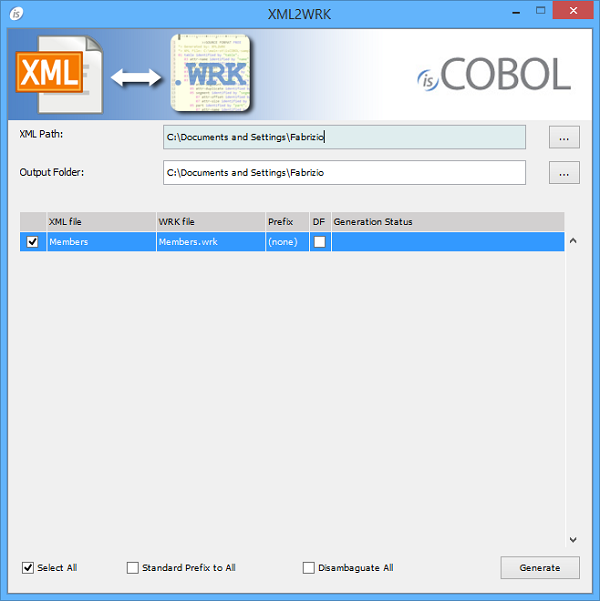
If the utility is launched without parameters, a graphical wizard procedure will start.
Usage 2:
iscrun XML2WRK xmlFile [outputFile] [prefix] [disambiguate_flag]
Where:
xmlFile is the name of the XML file to parse. It can be either a disk file or a URL.
outputFile is the name of the file that will contain the record definition corresponding to xmlFile. If omitted, a file named xmlFile.wrk is created.
prefix defines a string to be put in front of every data name in the record definition.
o
When set to "0" or omitted, data-names are generated with no prefix.
o
When set to "1", the prefix will be the name of the XML file.
o
disambiguate_flag activates or deactivates names ambiguity check
o
When set to "0" or omitted, field names are generated without control
o
When set to "1", field names are adapted if necessary in order to avoid ambiguous identifiers
XML2WRK uses the following criteria while parsing the XML file:
Consider the following sample xml:
 <parent>
   <child>
     <item>text</item>
   </child>
 </parent>
The bold underlined text highlights elements that are processed by XML2WRK according to the above rules.
The resulting record definition is:
01 content identified by "content".
   03 parent identified by "parent" occurs dynamic capacity parent-count.
      05 child identified by "child" occurs dynamic capacity child-count.
         07 item identified by "item".
            09 item-data pic x any length.
Thin Client
XML2WRK can be used in thin client environment as well. Use this command to start it:
iscclient -hostname <server-ip> -port <server-port> -utility xml2wrk <arguments>
Server side paths must be provided in the arguments.
 

Copyright (c) 2017 Veryant
Contact us
Please share your comments on this manual or on any
Veryant product documentation with the email button at the top left