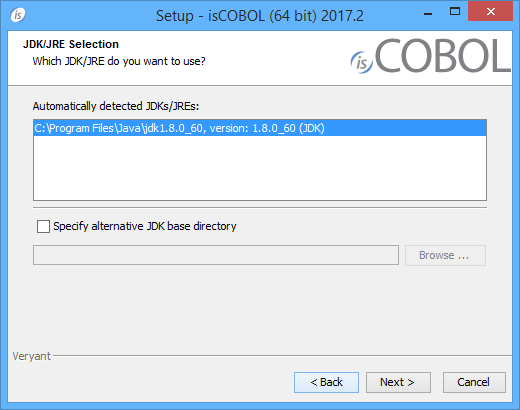
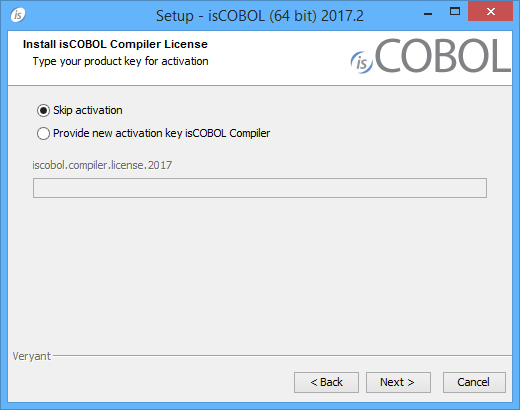
5. Scroll down to the list of files for Windows x64 64-bit or Windows x86 32-bit. Select isCOBOL_IDEyyyy_r_n_Windows_arc.exe, where yyyy is the year, r is the release number, n is the build number and arc is the system architecture.Note - If your Windows has the option "Run as Administrator", you should run the setup with that option.Note - You can skip license activation and perform it later, as explained in Activate the License.
1.
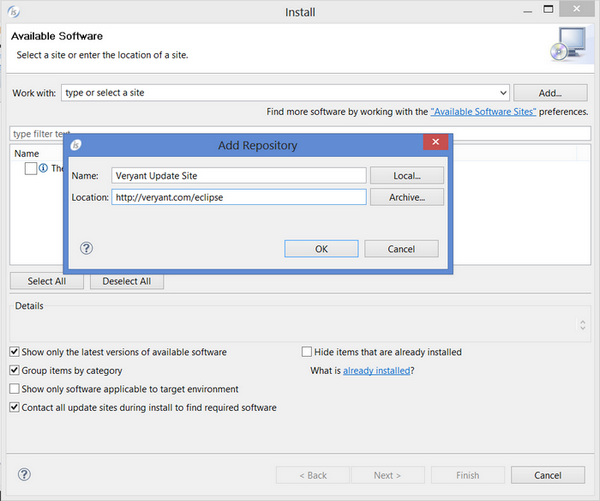
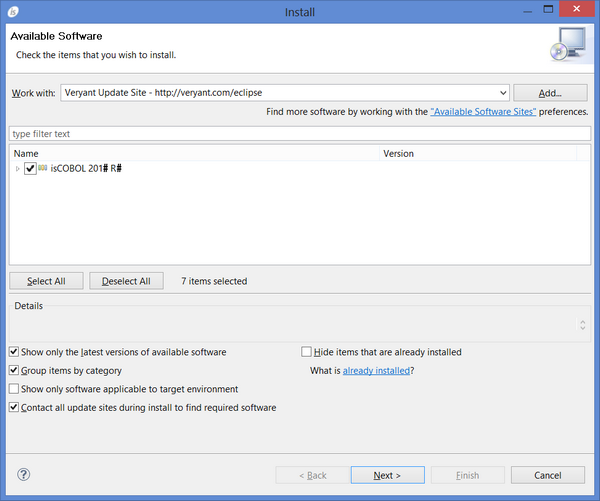
2. Click on the Add… buttonBy filling the Location field with "http://veryant.com/eclipse" you obtain the latest IDE release. In order to download previous releases, use this kind of url instead: "http://veryant.com/eclipse/older/v<version>". For example, in order to download isCOBOL IDE 2016 R1, use "http://veryant.com/eclipse/older/v2016R1".
| Copyright (c) 2017 Veryant |
| Contact us |
|
Please share your comments on this manual or on any Veryant product documentation with the email button at the top left |