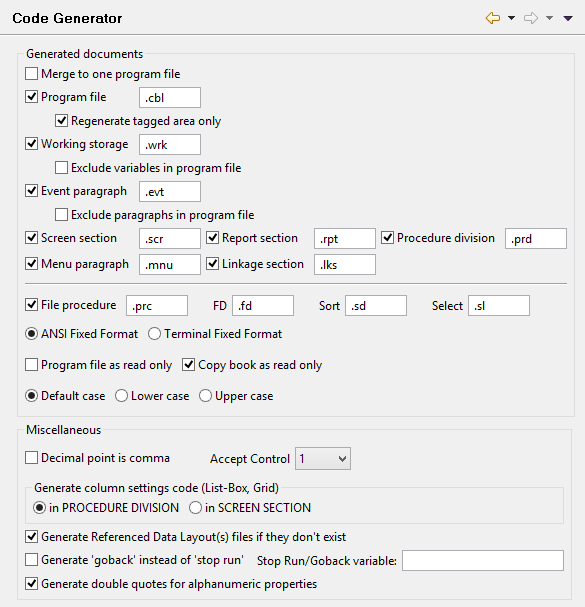
The Code Generator panel allows you to configure the code generated by the IDE for Screen Programs.Note: if you change the Source Format the IDE will ask you to regenerate all the programs in the workspace.
• When Program file is selected, and Regenerate tagged area only is not selected, isCOBOL IDE generates code for the program source file, replacing the existing cbl file.
• When both Program file and Regenerate tagged area only are selected, isCOBOL IDE generates code in the tagged portions of the program source file only. This preserves any code that you may have added outside of the tags. See Code Editing for more details.
• When Working storage is selected, isCOBOL IDE generates the Working-Storage copy file.
• When both Working storage and Exclude variables in program file are selected, isCOBOL IDE does not generate Working-Storage items in the .wrk file for variables that are already declared in the program source file.
• When Event paragraph is selected, isCOBOL IDE generates the event paragraph copy file.
• When both Event paragraph and Exclude paragraphs in program file are selected, isCOBOL IDE does not generate paragraphs that are already included in the program source file, it assumes that a paragraph in the program file with the same name as a paragraph that could be generated in the .evt copy file suppresses the paragraph that could be generated.
| Copyright (c) 2017 Veryant |
| Contact us |
|
Please share your comments on this manual or on any Veryant product documentation with the email button at the top left |