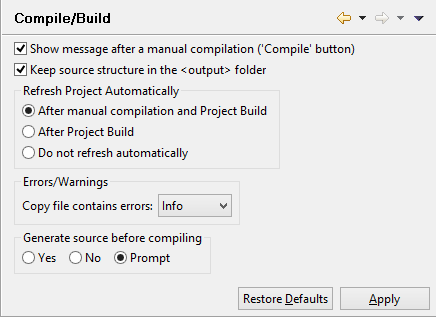
Compile/Build settings Preferences: isCOBOL -> Compile/Build When the IDE builds a project or just compiles a COBOL program it shows a message box that informs the user about the outcome. In this panel you can disable this message. Here it’s also possible to instruct the IDE to replicate source sub folders structure (if any) in the output folder. You can also configure the frequency of project content refresh. By default, the IDE refreshes the project content after each compile and build. You can choose to refresh only after build or to never refresh automatically. Reducing the content refresh may increase performance. The 'Copy contains errors' option specifies the severity of the corresponding entries in the 'Problems' view. When set to 'Error' or 'Warning' the icons of the related source programs in the 'File' view are marked with the Error/Warning decoration.