skip to main content

Integrated Development Environment (IDE) : Configuration : Customization : Configuring the Content Assistant

Configuring the Content Assistant
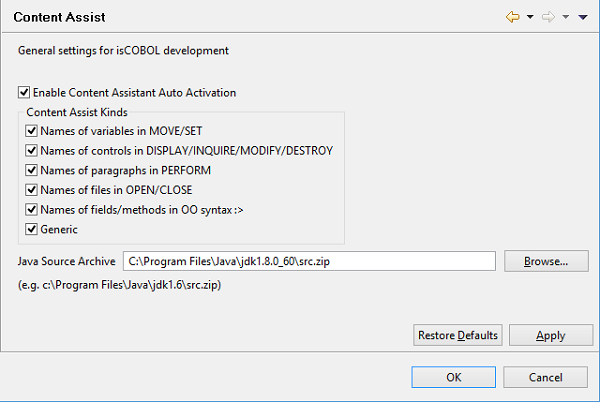
If Enable Content Assistant Auto Activation is checked (default) the Content Assistant is automatically shown while you’re editing the code. If the option is unchecked, instead, you have to call the Content Assistant by pressing CTRL+SPACEBAR.
In this panel it’s possible to choose also the areas in which the Content Assistant should be activated.

Copyright (c) 2017 Veryant
Contact us
Please share your comments on this manual or on any
Veryant product documentation with the email button at the top left