skip to main content

Integrated Development Environment (IDE) : Configuration : Customization : Associating file types with the proper editor

Associating file types with the proper editor
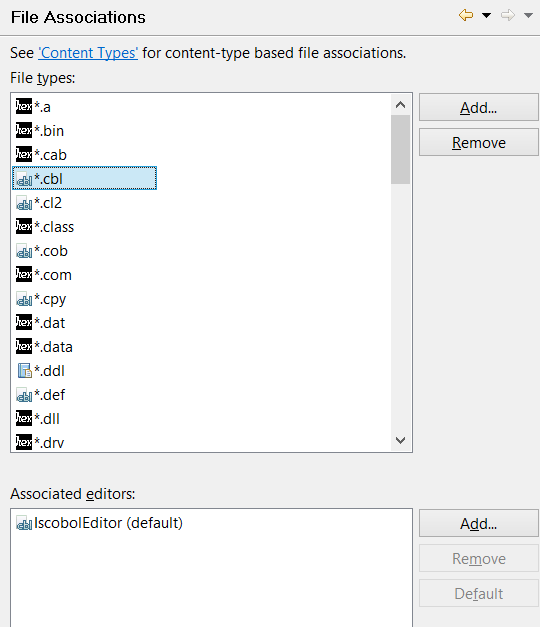
isCOBOL IDE includes different editors in addition to the COBOL editor. Different file types are associated with different editors. You can check and update these associations from the File Associations panel.
The editor is invoked each time you open a file from the isCOBOL Explorer.
There can be one or more editors associated with each file type. Click on the Add and Remove buttons to create new associations or to remove an existing one.
Files that don’t have an associated editor are open through external programs provided by the operating system, outside of the IDE window.

Copyright (c) 2017 Veryant
Contact us
Please share your comments on this manual or on any
Veryant product documentation with the email button at the top left