skip to main content

Integrated Development Environment (IDE) : The isCOBOL IDE Perspective : Problems

Problems
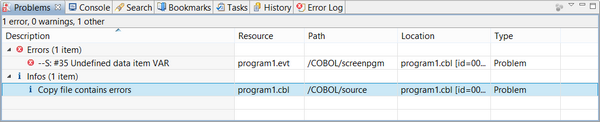
The Problems view lists compiler errors and warnings.
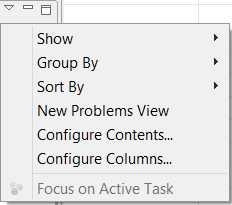
The content of the Problems view and its layout can be configured via the pull-down menu:
Show allows you to filter the types of errors that must be shown. By default all types of errors are shown.
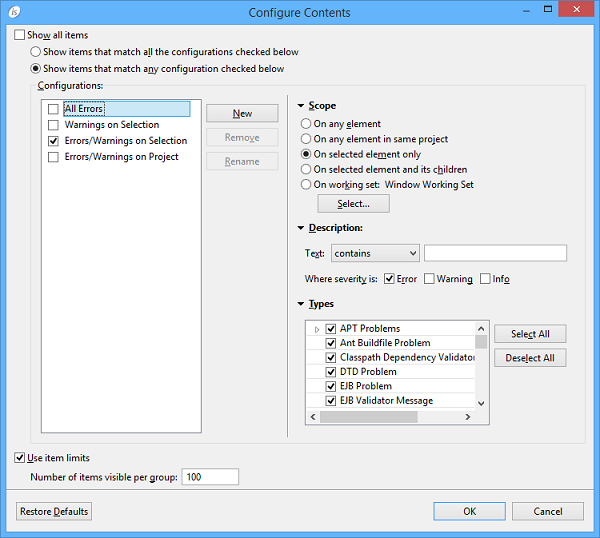
Configure Contents pops up a dialog in which you can set advanced filters.
Columns allows you to configure the order and the width of the columns.
Preferences allows you to choose which columns must be shown and the maximum number of items.
Suggested Configuration
For a clear and precise output in the Problems view, Veryant recommends the following configuration, that you can set in the Configure Contents dialog:
Also, it’s best practice to sort problems by Location rather than by Description. You can set this preference by selecting Sort By in the pull-down menu.

Copyright (c) 2017 Veryant
Contact us
Please share your comments on this manual or on any
Veryant product documentation with the email button at the top left