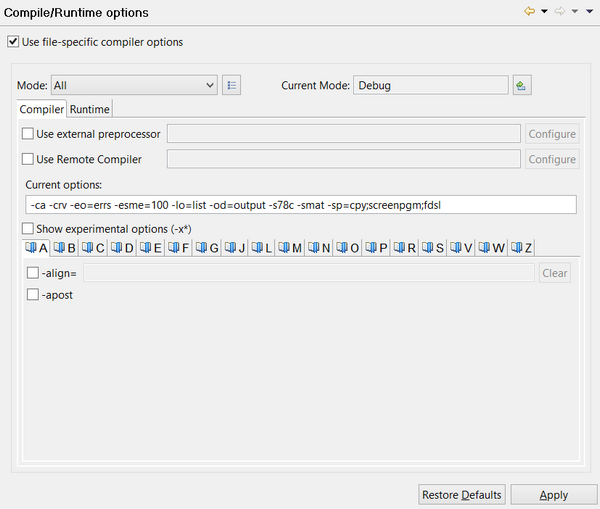
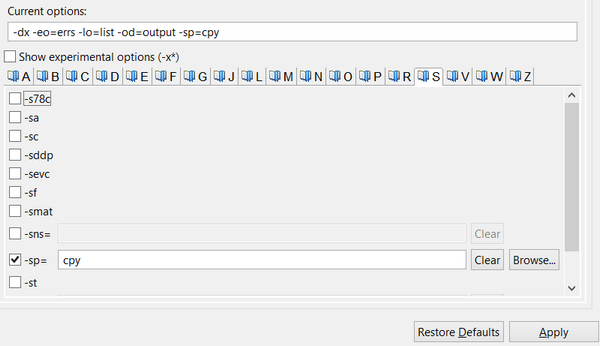
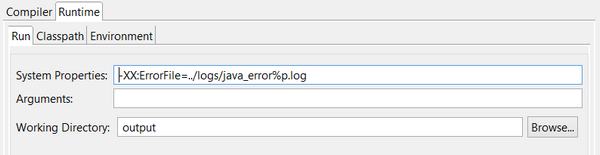
Compile and Runtime options are found under the isCOBOL Settings item. Here you can specify compile options as well as runtime settings.You can switch the active mode by clicking on the Change button on the right in this panel, or by clicking on the Project menu and selecting Change Current Mode.In the Compiler page, you can set compile options by checking them with the mouse. They’re distributed on different pages depending on their name. The list of options that are currently active appears in the text box just above these pages and can be edited from there also.In the Runtime page, you can set command-line options and parameters.
| Copyright (c) 2017 Veryant |
| Contact us |
|
Please share your comments on this manual or on any Veryant product documentation with the email button at the top left |