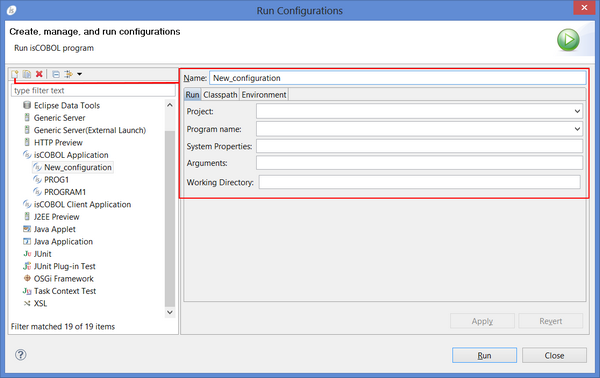
In order to run or debug a program from inside the IDE, highlight the main source file name in the isCOBOL Explorer or click on the editor window for the main program file, and click on the Run menu and choose Run As -> isCOBOL Application or Debug As -> isCOBOL Application.To set additional runtime options, create a "Run/Debug Configuration" by clicking on the Run menu and choosing Run Configurations... or Debug Configurations...
• click on the Run menu
• choose Run As
• click on the Run menu
• choose Debug As
Note - When the user runs or debugs a program, if there are some unsaved editors, a message box appears, asking if the user wants to save the editors before the launch. In addition, if the option Build (if required) before launching is checked in Preferences: Run/Debug -> Launching, a build of the project is performed.Note: when you create a Run or Debug configuration you can set the working directory for the runtime session. When you run the program without a configuration, the working directory is automatically set to the “output” folder of the project.
| Copyright (c) 2017 Veryant |
| Contact us |
|
Please share your comments on this manual or on any Veryant product documentation with the email button at the top left |