skip to main content

Integrated Development Environment (IDE) : Working with Projects : Deployment facility (WAR)

Deployment facility (WAR)
isCOBOL IDE allows you to build a WAR library of your project in order to facilitate the deployment.
This is useful to deploy web applications made using WD2 (isCOBOL Projects) or EIS (isCOBOL EIS Projects).
1.
2.
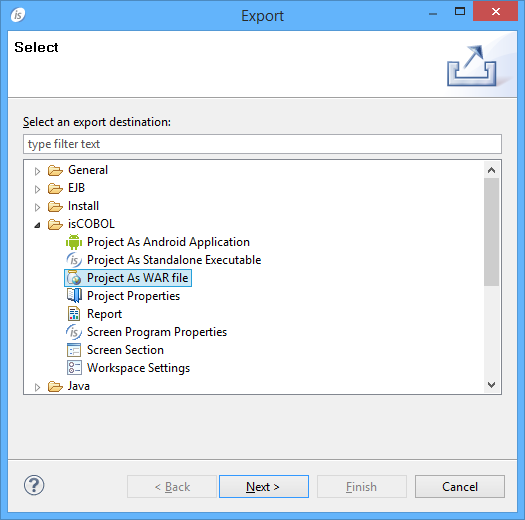
Choose Export from the pop-up menu.
3.
Choose isCOBOL / Project As WAR File from the tree.
4.
Click Next.
5.
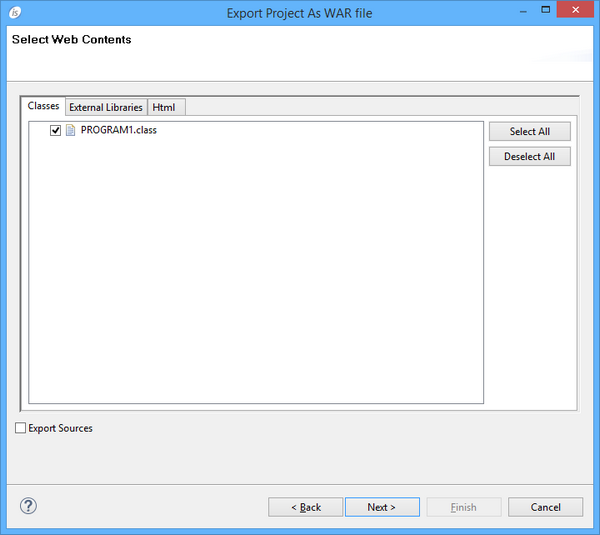
6.
Click Next.
7.
If the project is a EIS Project, then you’re also asked to choose which HTML, JS and CSS files should be included in the WAR.
8.
Click Next
 
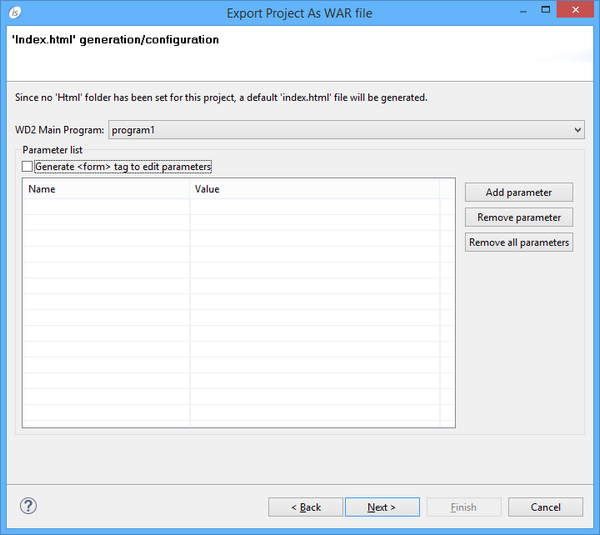
If you’re exporting a WD2 Project, then the following additional screen may appear:
 
 
You have to tell which is the main program of your web application and you can make the IDE generate a HTML form that the user can use in order to set chaining parameters received by the main program. Click Next when you have provided the necessary information.
You can avoid this screen to appear by creating a folder named “html” in your project and placing a index.html file into it. In this case the IDE will use the content of your “html” folder instead of creating a default index page.
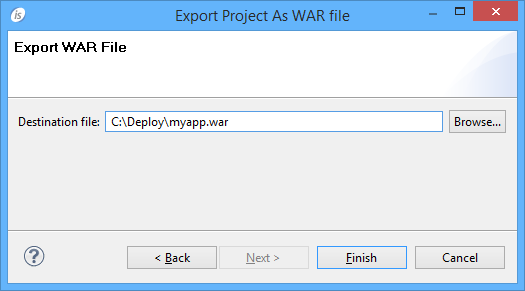
9.
 
The resulting WAR file is ready to be deployed in Tomcat or another servlet container.

Copyright (c) 2017 Veryant
Contact us
Please share your comments on this manual or on any
Veryant product documentation with the email button at the top left