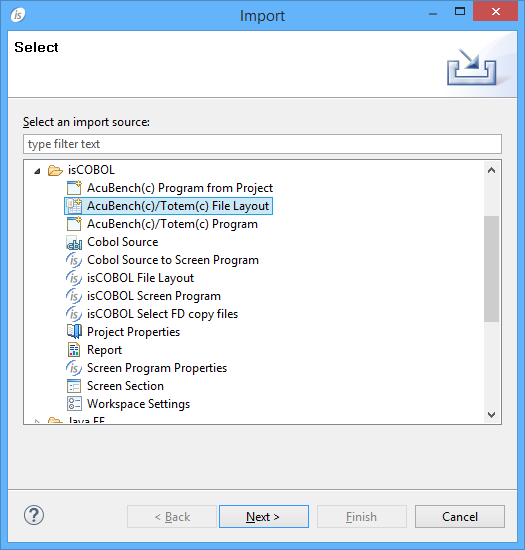
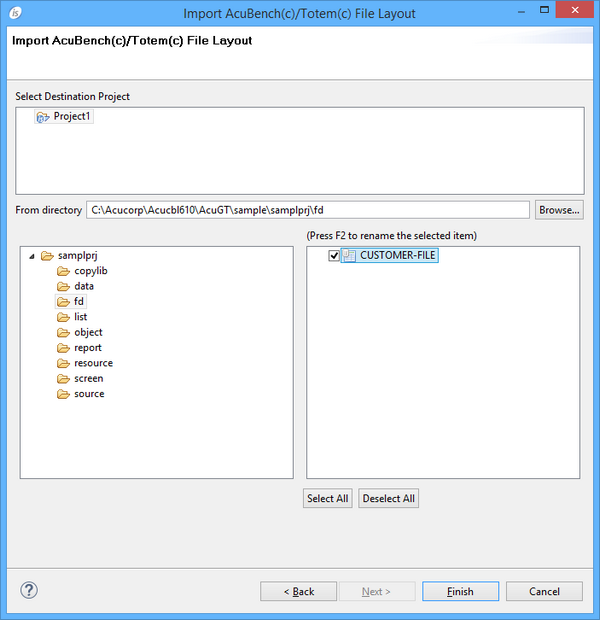
Importing a Data Layout from AcuBench To import an AcuBench Data Layout: 1. Right click on the project name in the isCOBOL Explorer area. 2. Choose Import from the pop-up menu. 3. Choose isCOBOL / AcuBench(c)/Totem(c) File Layout from the tree. 4. Browse to find the dlt files, check the ones that you wish to import and click Finish. 5. The file will appear between your FDs.