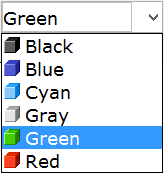
COMBO-BOX A Combo-Box combines an Entry-Field and a list that can be used to pick a value. Depending on the styles set, the Entry-Field can be editable or not. The list is open by a left mouse click, by pressing F4 or by pressing ALT along with either the up arrow key or the down arrow key.