On Windows machines databases are described in the Windows registry, in the key HKEY_CURRENT_USER\Software\Veryant\UDBC. Each subkey identifies a database and subkey values are the database entries.On Unix machines instead databases are described in a ini file that is the first applicable between:
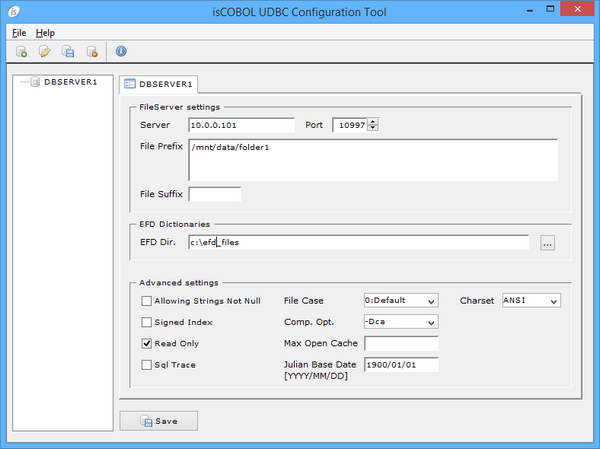
Note - for your convenince the graphical UDBC Configuration Tool is provided.
• Click on the New Database button in order to create a new database. Input a name of your choice and then compile the fields on the right providing File Server coordinates and the EFDs dictionaries location
• Click on the Rename Database button or double click on database name in the tree in order to rename the selected database.
• Click on the Delete Database button or press DEL in order to remove the selected database.
• Click on the Save button to save the latest changes you made on database settings.
| Copyright (c) 2017 Veryant |
| Contact us |
|
Please share your comments on this manual or on any Veryant product documentation with the email button at the top left |