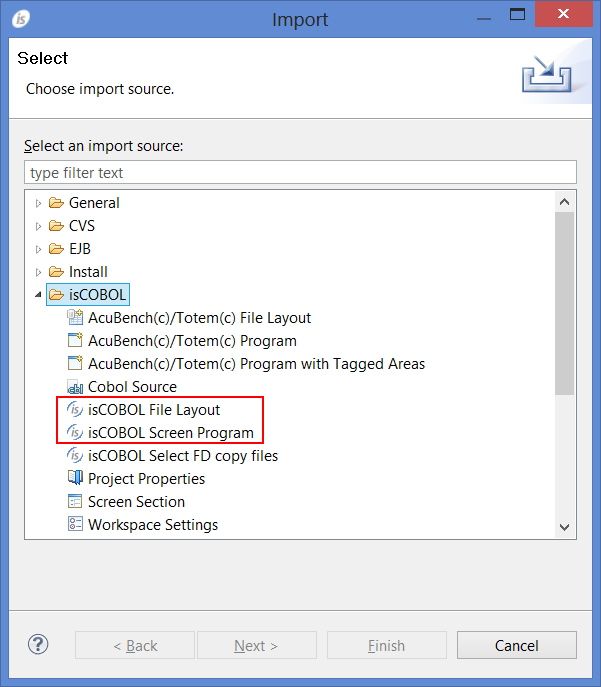
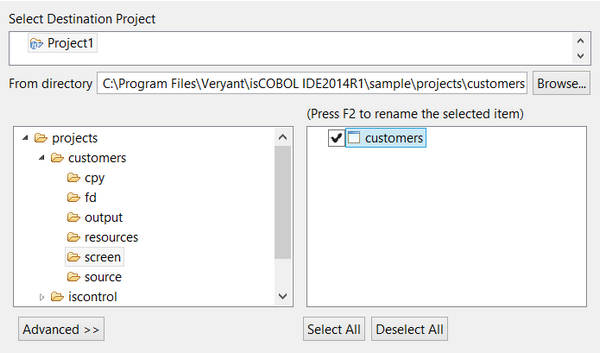
In order to add existing Screen Programs to the current Project, right click on the project name in the isCOBOL Explorer and choose Import from the pop-up menu. Then select isCOBOL / isCOBOL Screen Program from the tree.Screen Programs may contain a Dataset with some file definitions. In this case, repeat the above steps, selecting isCOBOL File Layout from the tree, in order to import the necessary file definitions.Use the Browse button to find the folder with the program or file layout that you wish to import. Select the desired item from the list on the right. Click on the Advanced button for advanced options.
| Copyright (c) 2017 Veryant |
| Contact us |
|
Please share your comments on this manual or on any Veryant product documentation with the email button at the top left |