skip to main content

Integrated Development Environment (IDE) : Working with Screen Programs and File Layouts : Repository

Repository
If you plan to interact with Java objects in your program, you need to declare these objects. This can be done in the repository. To access the repository
Select Repository from the list.
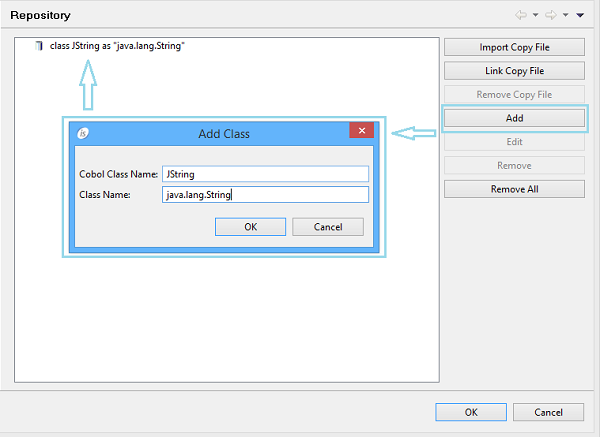
To add classes, click on the Add button and provide both a logical name and full class name. The class will be searched for in the project Class Path (see Class Path for more information). If not found, the IDE shows a red ‘class not found’ message above the fields.
It’s also possible to link or import copybooks where classes are defined.
The content of this dialog is generated by the IDE in the REPOSITORY paragraph of the program allowing you to instance class methods in the COBOL code.

Copyright (c) 2017 Veryant
Contact us
Please share your comments on this manual or on any
Veryant product documentation with the email button at the top left