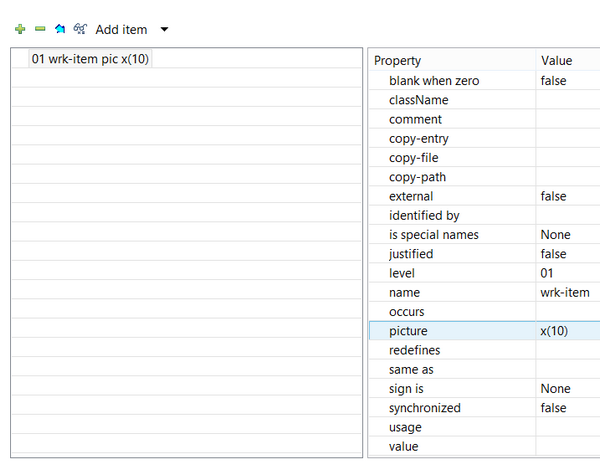
• To create a new group variable, click on the Add item button or choose 01-49 Level from the Add Item menu.
• To create a sub-item into a group variable, click on the Insert a sub-item button.
•
•
•
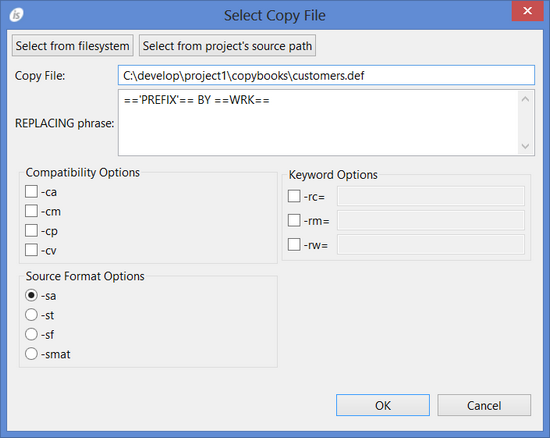
• To link a copybook, choose Link Copy File from the Add item menu. Linked copy files cannot be edited from inside the IDE, they’re just referenced.
• To import all the variables of a copybook, choose Import Copy File from the Add item menu. Once imported, the variables can be maintained from inside the IDE as if as they were created through it.In the dialog shown by Link Copy File and Import Copy File it’s possible to specify a REPLACING phrase as well as compatibility flags that the IDE should apply in order to parse the copybook content correctly.Select from filesystem allows you to browse for a copybook in the whole file system; the full path of the copy book is used in this case. Select from project’s source path allows you to browse for a copybook in the project folders; only the copybook name is used in this case.
| Copyright (c) 2017 Veryant |
| Contact us |
|
Please share your comments on this manual or on any Veryant product documentation with the email button at the top left |