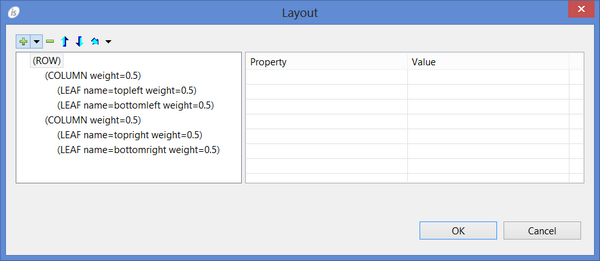
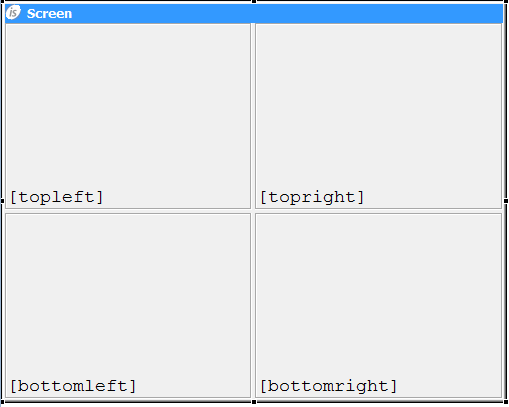
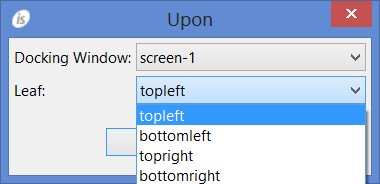
How to create docking windows It’s possible to create docking windows with the IDE by following these steps: 1. Click on the Screen title bar in order to load screen properties in the Property View. 2. Set the property "window type" to "DOCKING". 3. Right click on the Screen title bar and select "Docking Window Layout" from the pop-up menu. The Layout editor is open. Use the buttons at the top to create ROWS, COLUMNS and LEAFS. Provide a name and a weight for each item. The following screenshot, for example, shows a layout made of 4 different dockable windows where each dockable window takes a quarter of the docking window. The above settings will make the Screen look like this in the Screen Designer. 4. Create a new Screen 5. Select the new Screen and set the property “window type” to "DOCKABLE". 6. Set the property "upon leaf" to one of the leafs defined in point 3. 7. Draw controls on the Screen and code their procedures. 8. Repeat from step 4 for each dockable window that you want to add to the docking window.