skip to main content

Installation : The AVD Manager

The AVD Manager
Whether you're using isCOBOL IDE or the command line, to run your app on the emulator you need to first create an Android Virtual Device (AVD).
An AVD is a device configuration for the Android emulator that allows you to model different devices.
To create an AVD:
1.
o
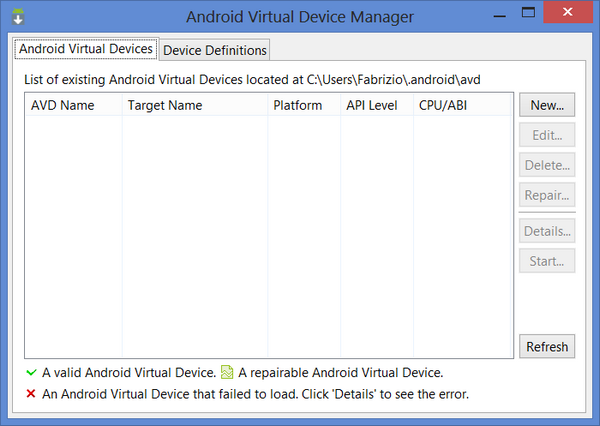
You can find AVD Manager.exe in the SDK installation folder.
o
 
2.
3.
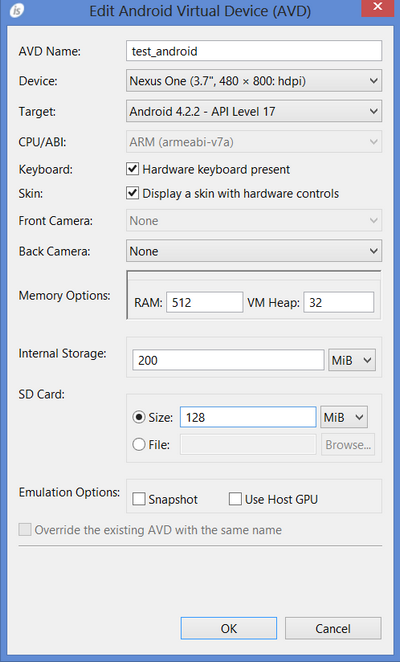
Important - Ensure to configure both internal memory and SD card as shown below:
From the AVD Manager you can start your virtual device as follows:
1.
2.

Copyright (c) 2017 Veryant
Contact us
Please share your comments on this manual or on any
Veryant product documentation with the email button at the top left